
आज आप पढ़ने वाले हैं Printf and Scanf in C in Hindi एक दम आसान Explanation के साथ। printf() और scanf() functions C language की नींव हैं — बिना इन्हें जाने आप कोई भी program ठीक से नहीं बना सकते। चाहे आप student हों, job की तैयारी कर रहे हों, या बस coding सीखने का शौक रखते हों — यह guide आपके लिए ही लिखी गई है।
इस Printf and Scanf in C in Hindi guide में हम बिल्कुल शुरुआत से समझेंगे कि printf() और scanf() क्या होते हैं, ये कैसे काम करते हैं, और इन्हें program में कैसे use करते हैं। हर concept को आसान हिंदी में, real examples के साथ explain किया गया है ताकि आपको कहीं अटकना न पड़े।
इस पूरी post को पढ़ने के बाद आप जान जाएंगे कि screen पर output कैसे print करते हैं, user से input कैसे लेते हैं, format specifiers क्या होते हैं, और common गलतियों से कैसे बचें। तो चलिए शुरू करते हैं!
Table of Contents
C Language में Input और Output क्यों जरूरी है?
किसी भी program का काम होता है — कुछ data लेना, उसे process करना, और result दिखाना। इसी को हम Input/Output (I/O) कहते हैं।
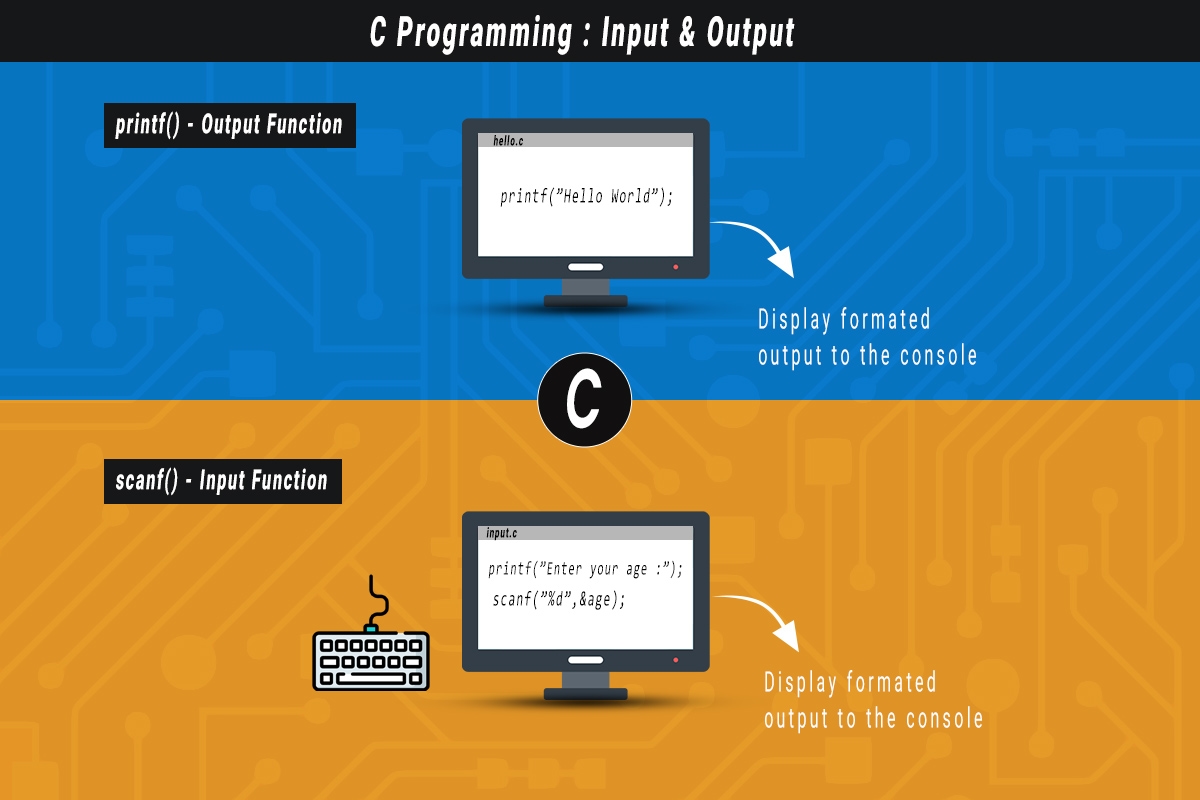
C language में input और output के लिए सबसे ज्यादा use होने वाले दो functions हैं:
- printf() — screen पर कुछ print (दिखाना) करने के लिए
- scanf() — user से keyboard के जरिए input लेने के लिए
ये दोनों functions stdio.h नाम की header file में होते हैं, इसलिए हर C program की शुरुआत में #include<stdio.h> लिखना जरूरी होता है।
Printf in C क्या है? (Printf Function की पूरी जानकारी)
printf() का मतलब है “Print Formatted” — यानी formatted तरीके से screen पर कुछ दिखाना।
Printf का Basic Syntax:
printf(“Write text here”);
जब variable की value दिखानी हो:
printf(“format string”, variable1, variable2, …);
Example Program — Hello World
#include <stdio.h>

int main() {
	printf("Hello, World!");
	return 0;
}
यह C का सबसे पहला और सबसे famous program है। printf() ने यहाँ “Hello, World!” को screen पर print किया।
Printf के साथ Variable Value Print करना
अगर हमें किसी variable की value print करनी हो, तो हमें format specifier use करना होता है।
#include <stdio.h>

int main() {

    int age = 20;

    // Printing the age
    printf("My age is: %d years\n", age);

    return 0;
}
यहाँ %d एक format specifier है जो integer (पूरी संख्या) के लिए use होता है।
Format Specifiers क्या होते हैं?
Format specifiers वो special codes होते हैं जो बताते हैं कि किस type का data print करना है या input लेना है।
| Format Specifier | Data Type | Example |
|---|---|---|
| %d | Integer (int) | 10, -5, 100 |
| %f | Float (दशमलव संख्या) | 3.14, 9.8 |
| %c | Character (एक अक्षर) | ‘A’, ‘z’ |
| %s | String (शब्द/वाक्य) | “Rahul”, “Hello” |
| %lf | Double (बड़ी दशमलव संख्या) | 3.14159265 |
| %ld | Long Integer | 1000000 |
Example Program — अलग-अलग Data Types Print करना
#include <stdio.h>

int main() {

    int marks = 95;
    float percentage = 95.5;
    char grade = 'A';

    // Printing student details
    printf("Marks      : %d\n", marks);
    printf("Percentage : %.2f%%\n", percentage);
    printf("Grade      : %c\n", grade);

    return 0;
}
यहाँ \n का मतलब है new line — यानी अगला text नई line पर आएगा। और %.2f का मतलब है दशमलव के बाद सिर्फ 2 अंक दिखाओ।
Printf के साथ Escape Sequences
Escape sequences वो special characters हैं जो \ (backslash) के साथ लिखे जाते हैं। निचे दिए गए Table में कुछ common Escape Sequences दिए गये हैं।
| Escape Sequences | काम |
|---|---|
| \n | New line (नई लाइन) |
| \t | Tab space |
| \\ | Backslash print करना |
| \” | Double quote print करना |
| \r | Carriage return |
निचे इस Program में \t और \n का use किया गया है, इसी तरह बाकी के Escape Sequence को अपने program में use करके check करें।
#include<stdio.h>
int main()
{
printf("Naam:\tRahul\n");
printf("Sheher:\tDelhi\n");
return 0;
}
Scanf in C क्या है? (Scanf Function की पूरी जानकारी)
अब बात करते हैं Scanf function जो User से input लेने के लिए इस्तेमाल करते हैं :
scanf() का मतलब है “Scan Formatted” — यानी user से formatted तरीके से input लेना।
Scanf का Basic Syntax
scanf(“format specifier”, &variable);
यहाँ & (ampersand) बहुत जरूरी है — यह variable का address देता है जहाँ input Value store होगी।
Scanf Example Program
#include <stdio.h>

int main() {

    int age;

    // Taking age input from the user
    printf("Enter your age: ");
    scanf("%d", &age);

    // Displaying the entered age
    printf("Your age is: %d years\n", age);

    return 0;
}
एक साथ Multiple Inputs लेना
#include <stdio.h>

int main() {

    int a, b, sum;

    // Taking first number input
    printf("Enter the first number: ");
    scanf("%d", &a);

    // Taking second number input
    printf("Enter the second number: ");
    scanf("%d", &b);

    // Calculating the sum
    sum = a + b;

    // Displaying the result
    printf("The sum of both numbers is: %d\n", sum);

    return 0;
}
Printf और Scanf को एक साथ Use करना — Complete Programs
अब हम Printf and Scanf in C in Hindi के कुछ complete programs देखेंगे जहाँ दोनों functions एक साथ काम करते हैं।
Scanf and Printf Complete Program 1: Student की जानकारी Input लेना और Print करना
#include <stdio.h>

int main() {

    char name[50];
    int age;
    float marks;

    printf("=== Student Information ===\n");

    // Taking student name input
    printf("Enter your name: ");
    scanf("%s", name);

    // Taking age input
    printf("Enter your age: ");
    scanf("%d", &age);

    // Taking marks input
    printf("Enter your marks: ");
    scanf("%f", &marks);

    // Displaying student information
    printf("\n--- Your Information ---\n");

    printf("Name  : %s\n", name);
    printf("Age   : %d years\n", age);
    printf("Marks : %.2f\n", marks);

    return 0;
}
Scanf and Printf Complete Program 2:
#include <stdio.h>

int main() {

    float num1, num2;

    // Taking first number input
    printf("Enter the first number: ");
    scanf("%f", &num1);

    // Taking second number input
    printf("Enter the second number: ");
    scanf("%f", &num2);

    // Performing arithmetic operations
    printf("\nAddition       : %.2f\n", num1 + num2);
    printf("Subtraction    : %.2f\n", num1 - num2);
    printf("Multiplication : %.2f\n", num1 * num2);

    // Checking division by zero
    if(num2 != 0)
        printf("Division       : %.2f\n", num1 / num2);
    else
        printf("Division is not possible (cannot divide by zero)\n");

    return 0;
}
Printf और Scanf में Common Mistakes (और उनसे कैसे बचें)
Printf and Scanf in C in Hindi में सीखते समय beginners अक्सर ये गलतियाँ करते हैं:
गलती 1: & भूल जाना
गलत :
scanf(“%d”, age);
सही :
scanf(“%d”, &age);
scanf() में & जरूरी है। बिना & के program crash हो सकता है।
गलती 2: गलत Format Specifier Use करना
float price = 99.99;
गलत :
printf(“%d”, price); // int ke liye %d, float ke liye nahi!
सही :
printf(“%f”, price);
गलती 3: stdio.h Header Include न करना
गलत :
int main() {
printf(“Hello”); // stdio.h nahi hai!
}
सही :
#include <stdio.h>
int main() {
printf(“Hello”);
}
गलती 4: String के साथ & लगाना
char name[50];
गलत :
scanf(“%s”, &name);
सही :
scanf(“%s”, name); // String (array) mein & nahi lagate
Printf में Width और Precision Control करना
यह थोड़ा advanced topic है, लेकिन बहुत useful है।
#include <stdio.h>

int main() {

    // Right aligned in 10 character space
    printf("%10d\n", 42);

    // Left aligned in 10 character space
    printf("%-10d|\n", 42);

    // Printing float with 3 decimal places
    printf("%.3f\n", 3.14159);

    // Width 8, 2 decimal places
    printf("%8.2f\n", 3.14159);

    return 0;
}
Scanf से Multiple Values एक साथ लेना
#include <stdio.h>

int main() {

    int x, y;

    // Taking two numbers as input
    printf("Enter two numbers separated by a space: ");
    scanf("%d %d", &x, &y);

    // Displaying the entered numbers
    printf("You entered: %d and %d\n", x, y);

    return 0;
}
User 10 20 type करेगा और Enter दबाएगा — दोनों values अलग-अलग variables में store हो जाएंगी।
Conclusion ( निष्कर्ष )
Printf and Scanf in C in Hindi की यह complete guide यहीं समाप्त होती है। हमने शुरू से लेकर आखिरी तक सब कुछ cover किया — printf() से output दिखाना, scanf() से input लेना, format specifiers की पूरी list, escape sequences, common mistakes और उनके solutions, और कई real examples के साथ practice programs। अब आपके पास वो सारी जानकारी है जो एक C programmer को शुरुआत में चाहिए होती है।
अब बारी है practice की! सिर्फ पढ़ने से coding नहीं आता — अपने computer पर compiler install करें (जैसे Code::Blocks या GCC), ऊपर दिए गए सभी programs खुद type करके run करें, और फिर उनमें बदलाव करके देखें क्या होता है। अगर कोई doubt हो तो नीचे comment करें। और अगर यह post helpful लगी हो, तो इसे अपने दोस्तों के साथ जरूर share करें जो C programming सीख रहे हैं!